

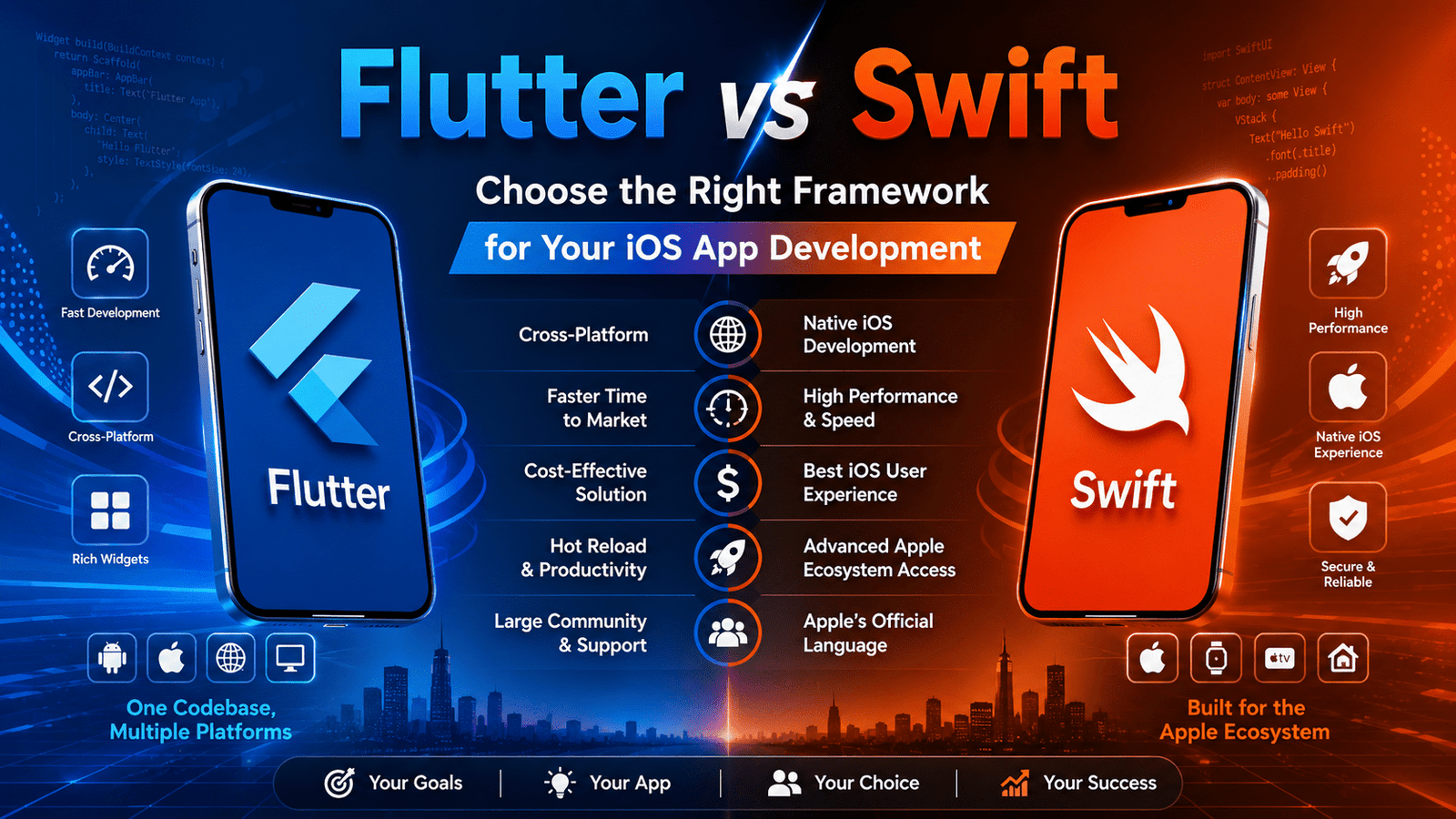
Quick Answer:
Flutter vs Swift for iOS depends on your project goals. Flutter is ideal for startups and cross-platform apps because it offers faster development, lower costs, a single codebase, and multi-platform support. Swift is better for iOS-exclusive apps requiring peak performance, native Apple features, and seamless ecosystem integration. Practical guide: Choose Flutter if you need iOS + Android, faster launch, or a limited budget. Choose Swift for iOS-only apps, advanced Apple features, or maximum performance.
Introduction
When it comes to building an iOS app, one of the most critical decisions developers and businesses face is choosing the right framework. Two names dominate the conversation: Flutter and Swift. Both are powerful, widely used, and backed by tech giants — Flutter by Google and Swift by Apple. But which one is the right fit for your iOS app development project?
Whether you're a startup launching your first MVP, an enterprise scaling your mobile presence, or a developer sharpening your tech stack, this guide will break down everything you need to know about Flutter vs Swift. We'll cover performance, UI capabilities, development speed, community support, cost, and more — all from an iOS development perspective.
Let's dive in.
What is Flutter?
Flutter is an open-source UI software development kit (SDK) created by Google in 2018. It uses the Dart programming language and allows developers to build natively compiled applications for mobile, web, and desktop from a single codebase.
Key Features of Flutter:
- Cross-platform development (iOS, Android, Web, Desktop)
- Rich set of pre-built UI widgets
- Hot reload for faster development
- High-performance rendering engine (Skia/Impeller)
- Strong community and growing ecosystem
Flutter has become a go-to framework for businesses looking to maximize development efficiency without sacrificing quality.
What is Swift?
Swift is a powerful, modern programming language developed by Apple in 2014. It is the native language for iOS, macOS, watchOS, and tvOS development. Swift replaced Objective-C as the primary language for Apple platform development and is deeply integrated with Apple's ecosystem.
Key Features of Swift:
- Native iOS and Apple ecosystem support
- High performance and memory safety
- Seamless integration with Xcode and Apple frameworks
- SwiftUI for modern declarative UI development
- Backed and maintained directly by Apple
Swift gives developers direct access to all iOS APIs and frameworks, making it the default choice for Apple-centric development.
Flutter vs Swift: A Head-to-Head Comparison
Now let's break down the core differences across the most important categories.
1. Performance
Swift wins hands down in raw performance for iOS. Since Swift is the native language of the Apple ecosystem, it compiles directly to machine code and interacts seamlessly with iOS hardware and APIs. There is zero abstraction layer between the code and the operating system.
Flutter, on the other hand, uses its own rendering engine (Skia or Impeller) and compiles Dart code to native ARM machine code. While Flutter performance is impressive and can feel nearly native, it introduces a thin layer of abstraction that can cause minor performance differences in CPU-intensive or graphics-heavy applications.
Verdict: Swift for performance-critical apps. Flutter for most standard use cases where the performance difference is negligible.
2. Platform Support
Flutter is a clear winner here. With a single codebase, you can deploy your app on:
- iOS
- Android
- Web
- Windows
- macOS
- Linux
This makes Flutter incredibly attractive for businesses that need a multi-platform presence without doubling or tripling their development effort.
Swift is primarily designed for Apple platforms only — iOS, macOS, watchOS, and tvOS. If you want an Android app too, you'll need to build a completely separate application using Kotlin or Java.
Verdict: Flutter for multi-platform support. Swift for Apple-exclusive apps.
3. UI and Design Capabilities
Swift with SwiftUI offers a modern, declarative UI framework that is tightly integrated with the Apple ecosystem. SwiftUI components automatically adapt to Apple's Human Interface Guidelines (HIG), giving your app that native iOS look and feel right out of the box.
Flutter has its own widget library that mimics Material Design and Cupertino (iOS) styles. While Flutter's Cupertino widgets do a great job of replicating the iOS aesthetic, they are not exactly native. For pixel-perfect iOS design with subtle native animations and behaviors, Swift/SwiftUI is superior.
However, Flutter gives developers more flexibility and control over custom UI design, making it easier to create visually unique, brand-specific interfaces.
Verdict: Swift/SwiftUI for native iOS aesthetics. Flutter for custom, consistent UI across platforms.
4. Development Speed
Flutter has a significant advantage when it comes to speed of development:
- Hot Reload allows you to see changes in real time without restarting the app
- A single codebase reduces development time by up to 40-60% compared to building separate native apps
- Rich pre-built widgets reduce the need to code everything from scratch
Swift development can be faster for experienced iOS developers working on Apple-exclusive projects since they don't need to learn a new language or framework. However, building separate apps for multiple platforms takes considerably more time.
Verdict: Flutter for faster overall development, especially for cross-platform projects. Swift for experienced iOS developers building Apple-exclusive apps.
5. Programming Language: Dart vs Swift
Swift is widely regarded as a clean, expressive, and powerful language. It has:
- Strong typing and safety features
- Modern syntax that is easy to read
- Excellent documentation
- A large community of iOS developers
Dart (Flutter's language) is less popular than Swift in the broader developer community but is:
- Easy to learn, especially for developers familiar with Java, JavaScript, or C#
- Optimized specifically for Flutter development
- Continuously improving with each release
Verdict: Swift has the edge in language maturity and community adoption. Dart is approachable and purpose-built for Flutter.
6. Access to Native iOS Features
This is one area where Swift has a clear advantage. Since Swift is Apple's native language, it has:
- Immediate access to new iOS APIs the moment Apple releases them
- Deep integration with Apple services like Face ID, ARKit, Core ML, HealthKit, and more
- Better support for platform-specific features like widgets, Live Activities, and Dynamic Island
Flutter requires platform channels to communicate with native iOS code when accessing device-specific features. While Flutter plugins cover many common use cases, you may still need to write native Swift or Objective-C code for advanced or newly released iOS features.
Verdict: Swift for deep native iOS integration. Flutter for apps that don't require extensive platform-specific features.
7. Community and Ecosystem
Swift has a mature and established ecosystem with:
- A large global developer community
- Extensive Apple documentation and resources
- A wide range of open-source libraries through Swift Package Manager (SPM)
- Strong presence on platforms like Stack Overflow and GitHub
Flutter has one of the fastest-growing communities in the mobile development space:
- Over 50,000+ packages available on pub.dev
- Strong Google backing and regular updates
- Active community on Discord, GitHub, Reddit, and YouTube
- Growing adoption among startups and enterprises worldwide
Verdict: Both are strong, but Swift has the edge in maturity while Flutter is rapidly catching up.
8. Cost of Development
Flutter can significantly reduce development costs because:
- One team builds apps for both iOS and Android
- Shorter development timeline means lower labor costs
- Fewer resources required to maintain a single codebase
Swift development costs can be higher for cross-platform projects:
- Separate iOS and Android development teams are needed
- Longer timelines and higher overall investment
- However, for iOS-only projects, costs are comparable
Verdict: Flutter is more cost-effective for multi-platform development. Swift is suitable for iOS-only budgets.
9. Testing and Debugging
Flutter comes with built-in testing tools:
- Unit tests, widget tests, and integration tests
- Flutter DevTools for performance profiling and debugging
- Consistent testing environment across platforms
Swift leverages Apple's XCTest framework and Xcode's powerful debugging tools:
- Excellent testing support with Xcode Instruments
- Strong UI testing capabilities with XCUITest
- Deep integration with Apple's development environment
Verdict: Both offer excellent testing capabilities. Swift benefits from deeper Xcode integration, while Flutter offers a more unified testing experience across platforms.
10. Long-Term Maintainability
Swift benefits from Apple's direct stewardship, ensuring long-term support, regular language updates, and backward compatibility. With Apple's massive resources, Swift will continue to evolve alongside iOS.
Flutter is backed by Google, which is a double-edged sword. Google has a history of discontinuing products, which has made some developers wary. However, Flutter's growing adoption and large community make it unlikely to be abandoned anytime soon. Google has consistently invested in and improved Flutter since its release.
Verdict: Swift has a slight edge in long-term reliability due to direct Apple support. Flutter is stable and well-supported but carries a slightly higher risk.
Quick Comparison Summary Table
| Feature | Flutter | Swift |
| Platform Support | Multi-platform | Apple ecosystem only |
| Performance | Near-native | Fully native |
| UI Design | Custom widgets | Native iOS components |
| Development Speed | Faster (single codebase) | Slower for multi-platform |
| Native iOS Access | Via platform channels | Full direct access |
| Programming Language | Dart | Swift |
| Community | Growing rapidly | Large and mature |
| Development Cost | Lower (multi-platform) | Higher (platform-specific) |
| Learning Curve | Moderate | Moderate |
| Long-Term Support | Google-backed | Apple-backed |
When Should You Choose Flutter for iOS Development?
Choose Flutter if:
- You need to launch on both iOS and Android simultaneously
- You have a limited budget and want to maximize ROI
- You're building an MVP or prototype quickly
- Your app requires a highly customized UI that is consistent across platforms
- Your team is experienced with cross-platform development
- Your app doesn't require deep access to cutting-edge iOS-specific features
- You want to expand to web or desktop in the future
When Should You Choose Swift for iOS Development?
Choose Swift if:
- You're building an iOS-exclusive application
- Your app requires peak performance (gaming, AR, real-time processing)
- You need immediate access to the latest Apple APIs and features
- You want a truly native iOS user experience with pixel-perfect Apple aesthetics
- Your team already has strong iOS/Swift expertise
- You're deeply integrating with Apple services (HealthKit, ARKit, Core ML, etc.)
- You're building for multiple Apple platforms (iPhone, iPad, Mac, Apple Watch)
Real-World Use Cases
Companies Using Flutter:
- Google Pay — Cross-platform payment app
- BMW App — Connected car experience
- eBay Motors — Vehicle listing platform
- Alibaba (Xianyu) — E-commerce platform
- Reflectly — AI journal app
Companies Using Swift:
- Airbnb — Core iOS app features
- LinkedIn — iOS application
- Lyft — Native iOS experience
- Twitter (X) — iOS platform
- Robinhood — Fintech iOS application
The Hybrid Approach: Can You Use Both?
Interestingly, some teams use both Flutter and Swift in a hybrid approach. Flutter handles the cross-platform UI and business logic, while Swift is used for platform-specific features through Flutter's platform channels. This gives teams:
- The development speed of Flutter
- The native capabilities of Swift
This approach works well for large teams with expertise in both frameworks but may be overkill for smaller projects.
SEO-Friendly Takeaway: Which Framework Should You Choose?
The answer to "Flutter vs Swift for iOS" is not black and white — it depends entirely on your project requirements, team expertise, budget, and long-term goals.
- If speed, cost-efficiency, and cross-platform reach are your priorities — Flutter is your framework.
- If native performance, Apple integration, and iOS-exclusive features are what you need — Swift is your framework.
Both frameworks are mature, well-supported, and capable of building world-class iOS applications. The best choice is the one that aligns with your specific business objectives.
Conclusion
Choosing between Flutter and Swift for iOS app development is a strategic decision that can shape your product's future. Flutter empowers teams to build beautiful, cross-platform apps quickly and cost-effectively, while Swift delivers an unmatched native iOS experience with full access to Apple's powerful ecosystem.
Take the time to assess your project's scope, your team's skills, your target audience, and your long-term vision before making your choice. And remember — the best framework is the one that helps you ship a great product to your users.
Frequently Asked Questions
Is Flutter good enough for iOS development?
Yes, Flutter is an excellent choice for iOS development, especially for cross-platform apps. It delivers near-native performance and supports iOS-specific design patterns through its Cupertino widget library.
Is Swift faster than Flutter?
Swift generally offers slightly better raw performance since it is the native iOS language. However, for most standard apps, the performance difference is negligible.
Can Flutter replace Swift?
Flutter cannot fully replace Swift, especially for apps requiring deep integration with Apple's native ecosystem. However, Flutter is a strong alternative for cross-platform development.
Which is easier to learn — Flutter or Swift?
Both have moderate learning curves. Flutter uses Dart, which is beginner-friendly. Swift is a modern language with clean syntax but is more complex when integrating with Apple's frameworks.
Should a startup use Flutter or Swift?
Most startups benefit more from Flutter due to its lower cost, faster development cycle, and cross-platform capabilities, allowing them to reach both iOS and Android users simultaneously.