

Quick Answer:
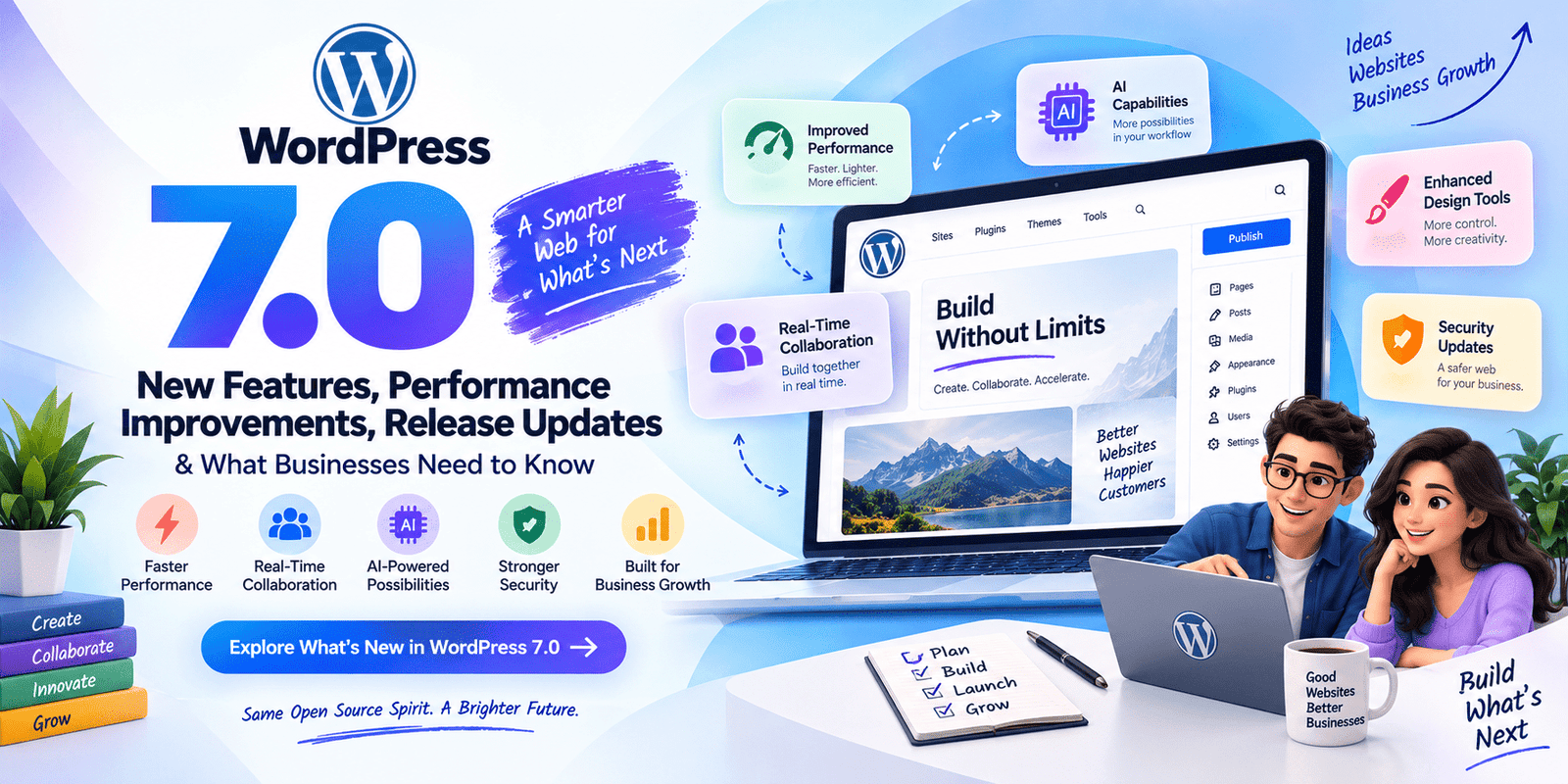
WordPress 7.0 is presented as a major evolution focused on smarter editing, AI assistance, collaboration, performance, security, and extensibility. Key highlights include advanced Full-Site Editing, native multilingual support, real-time collaboration, new blocks, speculative loading, image optimization, improved database performance, and native 2FA. For businesses, the upgrade can strengthen SEO, scalability, accessibility, and overall website efficiency. Also the latest major version of WordPress is 7.1 "Mary Lou", released on August 19, 2026.
Introduction
The digital world runs on WordPress. Powering over 43% of all websites on the internet, WordPress has long been the go-to content management system (CMS) for bloggers, enterprises, eCommerce stores, and everything in between. And with every major release, the platform raises the bar even higher.
Enter WordPress 7.0 — one of the most anticipated updates in the platform's history.
Whether you're a small business owner managing your own website, a developer building client solutions, or a digital marketer looking to stay ahead of the curve, WordPress 7.0 brings a wave of changes that are worth paying close attention to. From smarter block editing and AI-assisted tools to dramatic performance boosts and enhanced security protocols, this release is shaping up to be a genuine game-changer.
In this comprehensive guide, we'll break down everything you need to know about WordPress 7.0 — what's new, what's improved, when it's arriving, and most importantly, what it means for your business.
What Is WordPress 7.0? A Quick Overview
WordPress 7.0 represents the next major evolutionary step for the world's most popular CMS. Building on the foundation laid by previous versions — particularly the Gutenberg block editor rollout that began with WordPress 5.0 — version 7.0 pushes the platform into a new era of full-site editing, AI integration, performance optimization, and developer-friendly architecture.
The WordPress core development team, guided by community contributors and the WordPress Foundation, has focused this release around four major pillars:
- Editing Experience — Making content creation more intuitive and powerful
- Performance — Delivering faster load times and better Core Web Vitals scores
- Collaboration — Enabling teams to work together more effectively
- Extensibility — Giving developers more robust tools to build with
Now, let's dive into the specific features and improvements that define WordPress 7.0.
New Features in WordPress 7.0
1. Advanced Full-Site Editing (FSE) 2.0
Full-Site Editing has been gradually maturing since its introduction, and WordPress 7.0 takes it to a whole new level. FSE 2.0 allows users to visually design and customize every aspect of their website — headers, footers, archive pages, single post templates, and beyond — without writing a single line of code.
Key FSE 2.0 upgrades include:
- Drag-and-drop template building with real-time preview across device sizes
- Advanced typography controls including fluid typography that automatically adapts to screen sizes
- Global Style Variations that let you switch between design presets with one click
- Nested block locking so site admins can lock specific sections while keeping others editable for content teams
For businesses, this means dramatically reduced dependency on expensive custom theme development. Your marketing team can update the look and feel of your website without calling a developer every time.
2. AI-Powered Writing and Design Assistance
Perhaps the most talked-about feature of WordPress 7.0 is the native integration of AI-assisted tools directly within the editor. While third-party plugins like Jetpack AI and others have offered similar functionality, WordPress 7.0 brings this capability into the core experience.
AI Writing Assistant features include:
- Smart content suggestions that help writers overcome blocks and improve sentence structure
- SEO-aware writing prompts that nudge writers toward better keyword usage and readability
- Automatic alt-text generation for images uploaded to the media library
- Tone and style adjustments — shift your content from formal to conversational with a single prompt
On the design side, the AI Layout Suggester analyzes your content type and recommends optimal block layouts, saving designers significant time during the initial setup phase.
Business Impact: Marketing teams can produce higher-quality content faster, while website accessibility improves automatically through AI-generated alt text - a win for both SEO and compliance.
3. Real-Time Collaborative Editing
WordPress has historically been a single-editor environment, which has caused friction for teams working simultaneously on content. WordPress 7.0 changes this entirely with the introduction of real-time collaborative editing — think Google Docs, but inside your WordPress dashboard.
Collaboration features include:
- Multi-user simultaneous editing with live cursor tracking
- Inline comments and suggestions so editors can leave feedback without disrupting content
- Version history with named checkpoints so teams can roll back to any saved state
- Role-based editing permissions at the block level — writers can edit content blocks while layout blocks remain locked to admins
For businesses with content teams, agencies managing multiple contributors, or enterprises running editorial workflows, this feature alone could be reason enough to upgrade.
4. Enhanced Block Library and Interactivity API
The block ecosystem continues to expand with WordPress 7.0 introducing over 20 new native blocks, including:
- Accordion/FAQ Block — perfect for knowledge bases and landing pages
- Pricing Table Block — a long-requested feature for SaaS and eCommerce businesses
- Countdown Timer Block — ideal for promotions, product launches, and event pages
- Advanced Form Block — with built-in validation, conditional logic, and spam protection
- Video Background Block — for immersive hero sections without custom code
The Interactivity API, first hinted at in earlier versions, reaches full maturity in 7.0. This API allows developers to build dynamic, interactive block experiences (like filtering, real-time search, and animated transitions) that feel like React or Vue.js applications — but stay within WordPress's native architecture. This is a massive deal for developers who want the performance of server-side rendering with the interactivity of modern JavaScript frameworks.
5. Native Multilingual Support
For years, multilingual functionality required third-party plugins like WPML or Polylang. WordPress 7.0 finally delivers native multilingual support — a feature the community has been requesting for nearly a decade.
Native Multilingual features include:
- Create and manage content in multiple languages from a single interface
- Automatically serve the correct language version based on visitor browser settings
- Hreflang tag implementation handled automatically for international SEO
- Language switcher block available natively in the block editor
For global businesses and eCommerce stores targeting international markets, this is enormous. Not only does it simplify your tech stack, but it also ensures your multilingual SEO is handled correctly out of the box.
6. WooCommerce-Ready Blocks and eCommerce Enhancements
Recognizing that a significant portion of WordPress sites are eCommerce-focused, WordPress 7.0 ships with deeper WooCommerce alignment, including:
- Product showcase blocks that pull live data without custom shortcodes
- Cart and checkout block improvements for smoother conversion flows
- Abandoned cart recovery hooks available at the core level for plugin developers
- Improved inventory notification blocks for product pages
Performance Improvements in WordPress 7.0
If new features are the headline, performance improvements are the backbone of WordPress 7.0. The development team has made site speed and efficiency a top priority, recognizing that Core Web Vitals are now a confirmed Google ranking factor.
1. Speculative Loading (Prefetching Pages)
WordPress 7.0 introduces speculative loading — a technique where the browser begins loading the next page a user is likely to visit before they actually click the link. By analyzing hover behavior and link patterns, WordPress can preload content in the background, making page transitions feel nearly instantaneous.
Expected result: Up to 30% reduction in perceived page load times for returning visitors navigating between pages.
2. Image Optimization Overhaul
Images are consistently the largest contributor to page weight and slow load times. WordPress 7.0 introduces a comprehensive image optimization system:
- Automatic WebP and AVIF conversion upon image upload (browser-dependent serving)
- Lazy loading improvements with native browser integration and above-the-fold detection
- Responsive image generation with smarter breakpoint calculation
- Client hints support for serving the most appropriately sized image based on device capabilities
For businesses running image-heavy websites — portfolios, eCommerce catalogs, real estate listings — this translates directly into better user experience and higher search rankings.
3. JavaScript and CSS Optimization
WordPress 7.0 takes significant strides in reducing unnecessary code loading:
- Per-block asset loading — scripts and styles only load when their corresponding block is present on the page
- Critical CSS inlining for above-the-fold content to eliminate render-blocking resources
- Deferred JavaScript execution for non-critical scripts
- Improved script dependency management to eliminate redundant library loading
These improvements directly impact Largest Contentful Paint (LCP) and Total Blocking Time (TBT) — two of Google's Core Web Vitals metrics that influence search ranking.
4. Improved Database Query Performance
Under the hood, WordPress 7.0 includes significant database optimizations:
- Query caching improvements that reduce redundant database calls
- Object cache enhancements with better integration for Redis and Memcached
- Optimized meta query handling that reduces query complexity for sites with large amounts of custom post meta data
- Database index improvements for faster content retrieval on large sites
For enterprise-level WordPress sites with hundreds of thousands of posts and pages, these improvements can mean the difference between a sluggish site and a lightning-fast experience.
5. PHP 8.3 Optimization and Support
WordPress 7.0 is fully optimized for PHP 8.3, taking advantage of the latest performance improvements in the PHP language itself. Sites running on PHP 8.3 with WordPress 7.0 can expect measurable speed improvements over older PHP versions, with better memory management and faster execution times.
Business Action Item: Talk to your hosting provider about ensuring your environment is running PHP 8.3 to maximize the performance benefits of WordPress 7.0.
Security Enhancements in WordPress 7.0
Security has always been a critical concern for WordPress users, and version 7.0 introduces several important improvements:
1. Two-Factor Authentication (2FA) Native Integration
For the first time, two-factor authentication is available natively in WordPress core — no plugin required. Administrators can enforce 2FA across all user accounts, significantly reducing the risk of unauthorized access.
2. Improved Password Policies
WordPress 7.0 allows administrators to enforce:
- Minimum password complexity requirements
- Password expiration policies
- Breached password detection (cross-referenced against known compromised password databases)
3. Enhanced REST API Security
The REST API now includes improved rate limiting and authentication token management, reducing exposure to brute force and DDoS attacks via API endpoints.
4. Automatic Security Updates for Plugins
Building on WordPress's existing automatic core update functionality, version 7.0 extends more granular control over automatic plugin security updates, ensuring businesses can stay protected without manual intervention.
WordPress 7.0 Release Timeline: What We Know
As of the time of writing, WordPress follows a structured release schedule with multiple beta, release candidate (RC), and final release stages.
| Phase | Expected Timeline |
| Beta 1 | Q1 2025 |
| Beta 2-3 | Q1-Q2 2025 |
| Release Candidate 1 | Q2 2025 |
| Release Candidate 2 | Q2 2025 |
| Final Public Release | Mid-2025 (TBD) |
Note: WordPress release dates are community-driven and can shift. It's always recommended to follow the official WordPress development blog for the most up-to-date release information.
What Businesses Need to Do Before Upgrading to WordPress 7.0
Upgrading to a major WordPress version requires careful planning, especially for businesses running mission-critical websites. Here's your pre-upgrade checklist:
1. Audit Your Current Plugin Stack
Some plugins may not be compatible with WordPress 7.0 immediately upon release. Before upgrading:
- Review your active plugins and check for 7.0 compatibility confirmations from developers
- Identify and remove unused or abandoned plugins
- Have alternative solutions ready for plugins that may be deprecated
2. Ensure Theme Compatibility
Classic themes and some older Gutenberg-compatible themes may need updates to work seamlessly with FSE 2.0 features. Contact your theme developer or audit your theme code for compatibility.
3. Create a Full Backup
This should go without saying, but always create a complete backup - including files and database — before applying any major update. Use a trusted backup solution and verify the backup is restorable.
4. Test on a Staging Environment
Never upgrade your live site directly. Use a staging environment to:
- Test full functionality after the upgrade
- Identify visual or functional regressions
- Verify that all forms, eCommerce flows, and integrations work correctly
5. Update PHP Version
Ensure your hosting environment is running PHP 8.2 at minimum (ideally PHP 8.3) before upgrading to WordPress 7.0.
6. Train Your Team
New features like collaborative editing, the AI writing assistant, and FSE 2.0 will require some onboarding for your content and marketing teams. Plan for short training sessions or documentation updates.
How WordPress 7.0 Impacts Your SEO Strategy
For businesses focused on organic search, WordPress 7.0 brings several SEO-relevant changes:
Faster Load Times = Better Rankings
The performance improvements in 7.0 directly improve Core Web Vitals scores, which are a confirmed Google ranking signal. A faster site means better rankings and lower bounce rates.
Native Multilingual = International SEO Made Easier
Proper hreflang implementation, which has historically been a pain point, is now handled automatically. This reduces international SEO errors significantly.
Better Image Optimization = Improved Image Search Visibility
Auto-generated alt text and better image formats (WebP/AVIF) improve both accessibility and image search rankings.
AI-Assisted Content = Potentially Higher Content Quality
When used responsibly, AI writing assistance can help produce more readable, structured, and keyword-relevant content — all factors that correlate with better search performance.
Structured Data Opportunities
The new block types (FAQ, Pricing Table, etc.) open opportunities for structured data markup that can trigger rich results in Google search — a meaningful visibility boost.
WordPress 7.0 vs. Competing CMS Platforms: How Does It Stack Up?
With WordPress 7.0, the gap between WordPress and competing platforms like Webflow, Squarespace, Wix, and Drupal narrows in some areas while widening in others.
| Feature | WordPress 7.0 | Webflow | Squarespace | Wix |
| Full-Site Editing | Advanced | Native | Limited | Limited |
| AI Assistance | Native | Plugin-based | Limited | Wix AI |
| Collaborative Editing | New in 7.0 | Yes | No | No |
| eCommerce | WooCommerce | Limited | Native | Native |
| Native Multilingual | New in 7.0 | No | No | Yes |
| Open Source/Flexibility | Fully Open | Proprietary | Proprietary | Proprietary |
| Plugin Ecosystem | 60,000+ | Limited | Limited | Limited |
Final Thoughts: Is WordPress 7.0 Worth the Upgrade?
The short answer? Absolutely — but do it thoughtfully.
WordPress 7.0 isn't just an incremental update. It represents a genuine maturation of the platform, addressing long-standing pain points (multilingual support, collaboration, performance) while introducing forward-looking features (AI assistance, Interactivity API, speculative loading) that keep WordPress competitive well into the future.
For businesses, the upgrade path is clear:
- If you're on a newer WordPress version (6.x) with a modern block theme, upgrading to 7.0 will be relatively smooth and the benefits will be immediate.
- If you're on an older version or classic theme, use the 7.0 release as an opportunity to modernize your site architecture holistically.
- If you're evaluating WordPress as a CMS for a new project, the features in 7.0 make it more compelling than ever.
The WordPress community continues to demonstrate that open-source, community-driven development can match and often exceed the innovation pace of proprietary platforms. WordPress 7.0 is proof of that. For businesses looking to leverage the latest WordPress capabilities, working with experienced WordPress development companies in India can help ensure a secure, scalable, and high-performing website.
Stay up to date, test thoroughly, back up religiously, and upgrade with confidence.
Frequently Asked Questions About WordPress 7.0
Is WordPress 7.0 a Free Upgrade for Existing Users?
Yes, absolutely. WordPress has always been — and remains — a free, open-source platform. Upgrading from any previous version of WordPress to WordPress 7.0 costs nothing. You can update directly from your WordPress dashboard under Dashboard → Updates with a single click. However, keep in mind that while the WordPress core software itself is free, costs may arise if your current theme or plugins require paid updates to become compatible with WordPress 7.0. Always test on a staging environment before upgrading your live site to avoid any unexpected surprises.
Will My Existing Plugins and Themes Still Work After Upgrading to WordPress 7.0?
Most likely yes — but not all of them immediately. Reputable, actively maintained plugins and themes typically release compatibility updates alongside or shortly after major WordPress releases. However, plugins and themes that are outdated, abandoned, or poorly coded may experience conflicts with WordPress 7.0 — especially given the significant changes introduced through FSE 2.0 and the Interactivity API.
Here's what you should do:
- Check your plugin and theme changelogs for WordPress 7.0 compatibility notes
- Deactivate any plugins that haven't been updated in over 12 months
- Test everything thoroughly on a staging environment before pushing the upgrade to your live site
- If a plugin breaks, look for a modern alternative from the WordPress plugin repository
Do I Need to Know How to Code to Use the New Features in WordPress 7.0?
No — and that's one of the biggest selling points of WordPress 7.0. The entire philosophy behind features like FSE 2.0, the new block library, AI-assisted writing, and the drag-and-drop template builder is to make powerful website customization accessible to non-technical users. Business owners, marketers, and content creators can design pages, write content with AI assistance, manage multilingual content, and even collaborate in real-time — all without touching a single line of code.
That said, developers will also find plenty to get excited about. The matured Interactivity API and improved REST API security give experienced developers more powerful and flexible tools to build advanced WordPress solutions.
How Will WordPress 7.0 Affect My Website's Google Rankings?
WordPress 7.0 has the potential to positively impact your search rankings in several meaningful ways. Here's a breakdown of the direct and indirect SEO benefits:
- Improved Core Web Vitals: Speculative loading, per-block asset loading, and image optimization improvements will boost LCP, TBT, and CLS scores — all of which are Google ranking signals.
- Better Accessibility: Native alt-text generation for images improves accessibility compliance, which correlates with better search performance.
- International SEO: Automatic hreflang implementation through native multilingual support reduces common international SEO errors that can hurt rankings in global markets.
- Structured Data: New blocks like FAQ and Pricing Table make it easier to implement schema markup, which can unlock rich results in Google Search.
- Content Quality: AI-assisted writing tools, used responsibly, can help produce more readable and well-structured content — a known positive signal for search engines.
The bottom line: upgrading to WordPress 7.0 and properly leveraging its new features is a net positive for your SEO strategy.
Can I Still Use My Existing Multilingual Plugin (Like WPML or Polylang) After Upgrading to WordPress 7.0?
Yes, existing multilingual plugins will continue to function after upgrading to WordPress 7.0. However, with native multilingual support now built directly into the core, you may find that you no longer need a third-party plugin for basic multilingual functionality. WordPress 7.0's native multilingual system handles:
- Multiple language content management from a single dashboard
- Automatic browser language detection
- Hreflang tag implementation for international SEO
- A native language switcher block
If you're currently using WPML or Polylang and they serve your needs well — particularly if you rely on advanced translation workflows or professional translation integrations — there's no immediate pressure to switch. But for businesses setting up multilingual support for the first time, the native solution in WordPress 7.0 is a compelling, cost-saving option worth exploring before investing in a premium plugin.
Is WordPress 7.0 Suitable for Large Enterprise Websites, or Is It Still Better Suited for Small Businesses?
WordPress 7.0 is more enterprise-ready than any previous version of the platform. Several of the new features are specifically designed with enterprise-level use cases in mind:
- Real-time collaborative editing enables large content teams to work simultaneously without workflow bottlenecks
- Role-based editing permissions at the block level gives enterprise admins granular control over who can edit what
- Database query performance improvements ensure the platform handles large volumes of content and traffic efficiently
- Native 2FA and improved password policies address enterprise security requirements
- PHP 8.3 optimization means better performance on enterprise-grade server infrastructure
- Automatic plugin security updates reduce the operational burden on IT teams managing large WordPress deployments
Combined with the enormous ecosystem of enterprise-focused plugins and the platform's inherent flexibility as an open-source CMS, WordPress 7.0 is absolutely a viable — and increasingly preferred — choice for large-scale business websites, media publishers, and enterprise-level eCommerce operations.